Animated Menu: Miyabi Attack Edition – Texture Pack
- 28-02-2026, 07:38
- 570
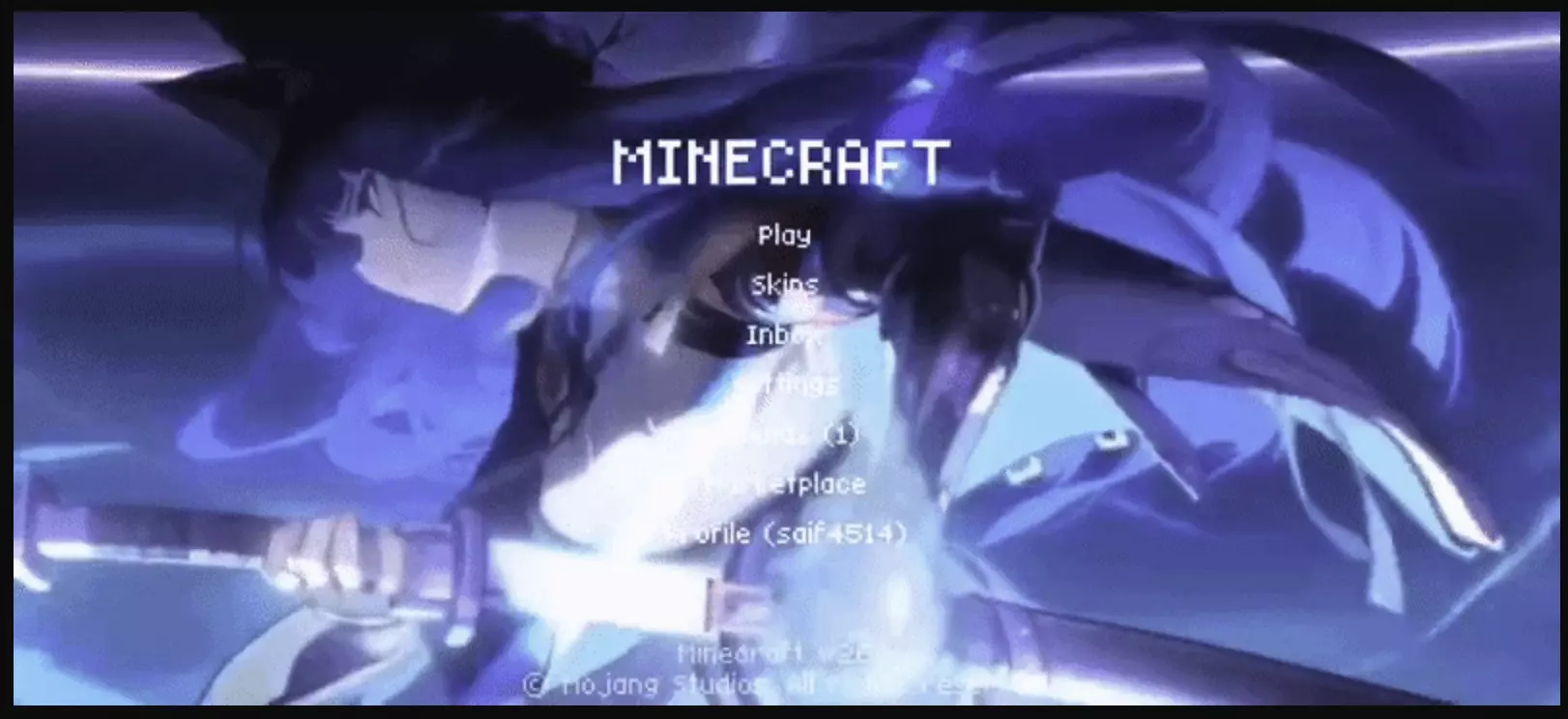
Animated Menu: Miyabi Attack edition is a menu-focused texture pack that changes the tone of the game before you even load into a world. Instead of leaving the default interface plain and static, it turns the Start Screen and Settings Screen into a more dramatic animated space built around a Miyabi-inspired look. The main idea here is not subtle comfort or quiet atmosphere. This pack is clearly chasing energy, speed, and that split-second feeling of a powerful strike happening right in front of you.
The biggest thing that makes Animated Menu: Miyabi Attack edition stand out is the way it frames motion. The description leans into sharp precision and explosive movement, which gives the menu a more aggressive and focused visual identity. That matters because a strong menu theme can instantly change how the whole game feels. Even if the rest of your world is normal survival, creative building, or casual exploring, opening the game and seeing a UI with this kind of impact makes the session feel more stylized right away.
What also helps is that Animated Menu: Miyabi Attack edition stays locked onto two specific parts of the interface instead of trying to redesign everything at once. By focusing on the Start Screen and Settings Screen, it keeps the idea clean and easy to appreciate. You notice it the moment the game opens, and then again whenever you go into settings. That makes the pack feel more polished, because it gives attention to the screens players constantly return to instead of scattering the theme across random menus with no clear direction.
Animated Menu: Miyabi Attack edition is a strong pick for players who like animated UI packs with a more intense edge. The whole pack is built around the image of a decisive strike captured mid-action, and that gives the interface a lot more personality than the usual default look. If you want your Minecraft Bedrock menu to feel more dynamic, more forceful, and more immersive every time you open the game, Animated Menu: Miyabi Attack edition does exactly that without needing to touch gameplay at all.
Installation:
- Download Texture;
- Open the downloaded .mcpack to install;
- Select texture in settings;
- Done.
Comments (0)