SATURATED Shader
- 25-03-2026, 02:21
- 837
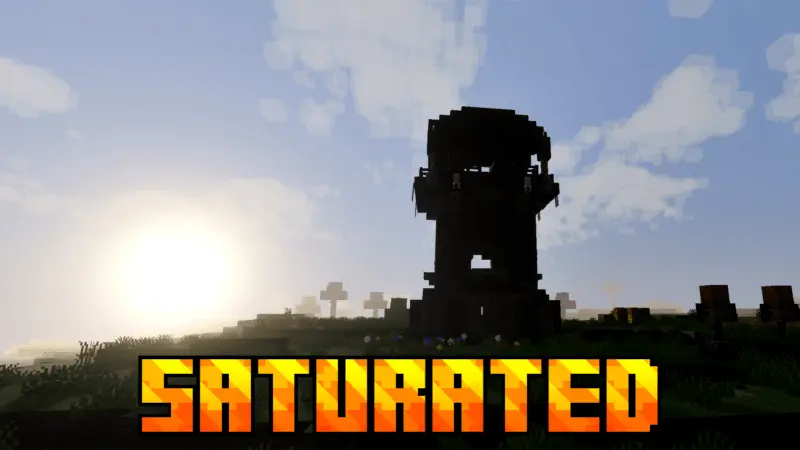
SATURATED Shader is for players who want their world to pop harder without diving into a super complicated visual setup. The whole point is right in the name: it makes your world look more saturated, meaning colors look stronger and more vibrant so biomes feel less dull and your builds stand out more. If you’re the type who loves bright blocks, colorful farms, or just wants your screenshots to look punchier, this kind of shader vibe is an easy win.
In everyday Minecraft Bedrock gameplay, a saturation boost changes a lot more than people expect. Grass, leaves, flowers, and even simple materials can look richer, which makes normal travel feel more lively. It also makes bases feel more “finished� because the colors look cleaner and more intentional, even if your build is pretty simple. If you play on a realm with friends or you record clips, it’s the kind of visual tweak that makes your world look instantly more appealing without you changing anything else.


One practical detail is that SATURATED Shader lets you set the resolution in the game settings. That’s useful because you can tune how sharp or smooth things feel based on what your device can handle, so you’re not locked into one performance level. If you’re on a lower-end setup, you can drop resolution for smoother play, and if your device is strong, you can bump it up for cleaner visuals.
Practical tip: when you’re running a saturated look, try not to spam every bright block in one area, because extra color can make clutter feel even messier. Keep your main palette consistent and use bright accents where you want attention, like entrances, paths, or feature rooms. SATURATED Shader is a simple Minecraft Bedrock visual add-on for players who want stronger colors and a more lively world, with resolution control so you can balance looks and smoothness.
Installation:
- Download Texture;
- Open the downloaded .mcpack to install;
- Select texture in settings;
- Done.
Comments (1)