Celestia Visuals Shader
- 24-02-2026, 18:37
- 729
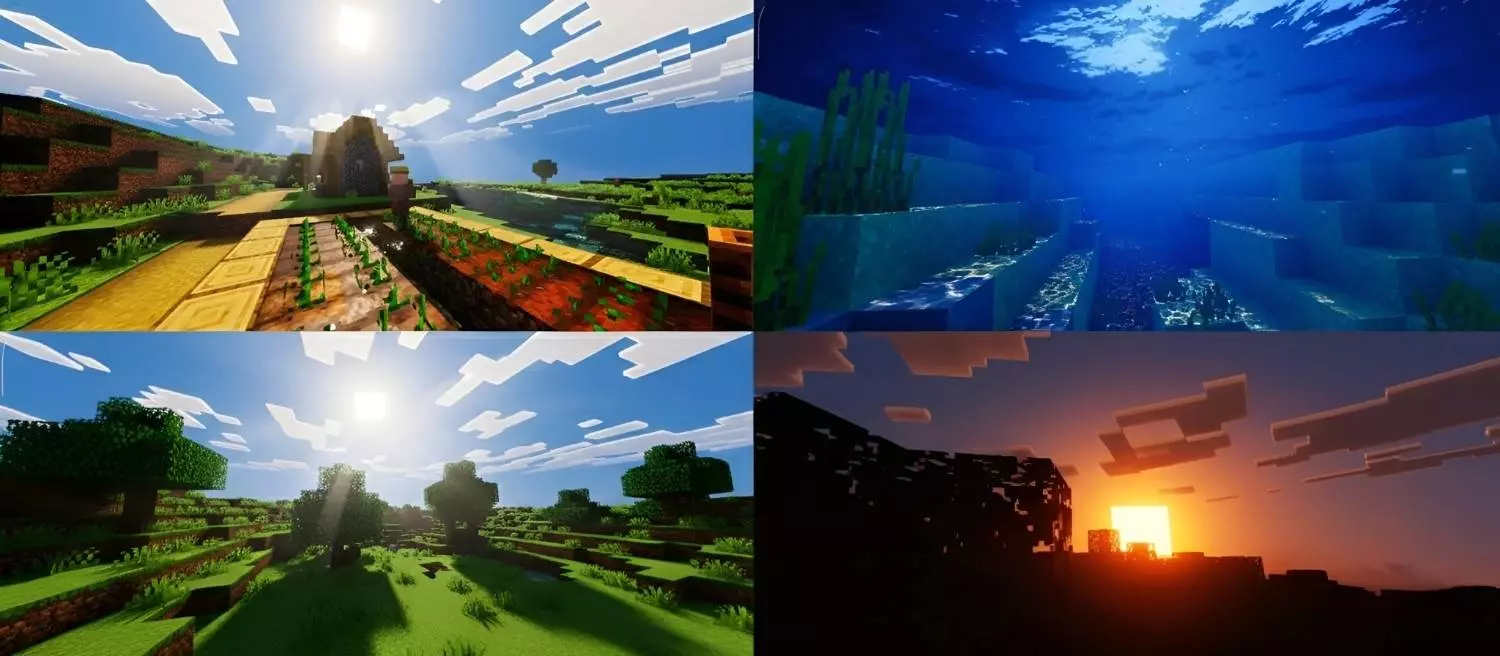
Celestia Visuals Shader is a visual style pack focused on mood, color, and atmosphere. From the provided description, the main goal is clear: it adds a warm, saturated look that enhances colors, lighting, and the overall feel of the world, creating a richer and smoother visual experience. That makes it sound like a shader you use for the way the world feels moment to moment, not just for quick screenshots.
The strongest part of Celestia Visuals Shader is the tone it creates. A soft, vibrant look can make familiar places feel fresher when you log into the same survival world and start doing your normal routine. Walking out of your base in the morning, checking farms, heading into caves, or traveling between builds can feel more enjoyable when the lighting and color balance make everything look warmer and more alive. It does not need a huge feature list to be useful, because a lot of players just want a smoother visual mood that improves the whole world at once.


Celestia Visuals Shader also sounds like a good choice for players who spend a lot of time building or exploring. When the atmosphere is richer and the colors are enhanced, simple builds can look better without changing any blocks, and long exploration sessions can feel less flat. That kind of visual upgrade is especially nice during slower gameplay, like organizing storage, expanding paths, or doing resource runs, where you are mostly enjoying the world while working through tasks at your own pace.
In Minecraft Bedrock, a shader like this can be a strong everyday pick if you prefer a cleaner visual mood over heavy visual noise. Celestia Visuals Shader is described as making the game feel more alive and visually appealing, and that lines up well with players who want a consistent warm style during regular play. If your favorite packs are the ones that improve the atmosphere without changing mechanics, Celestia Visuals Shader sounds like a simple, attractive option to keep on while you build, explore, and relax in your world.
Installation:
- Download Shader;
- Open the downloaded .mcpack to install;
- Select texture in settings;
- Done.
Comments (0)