Skeleton Mask Boy Skin
- 23-01-2026, 12:50
- 624
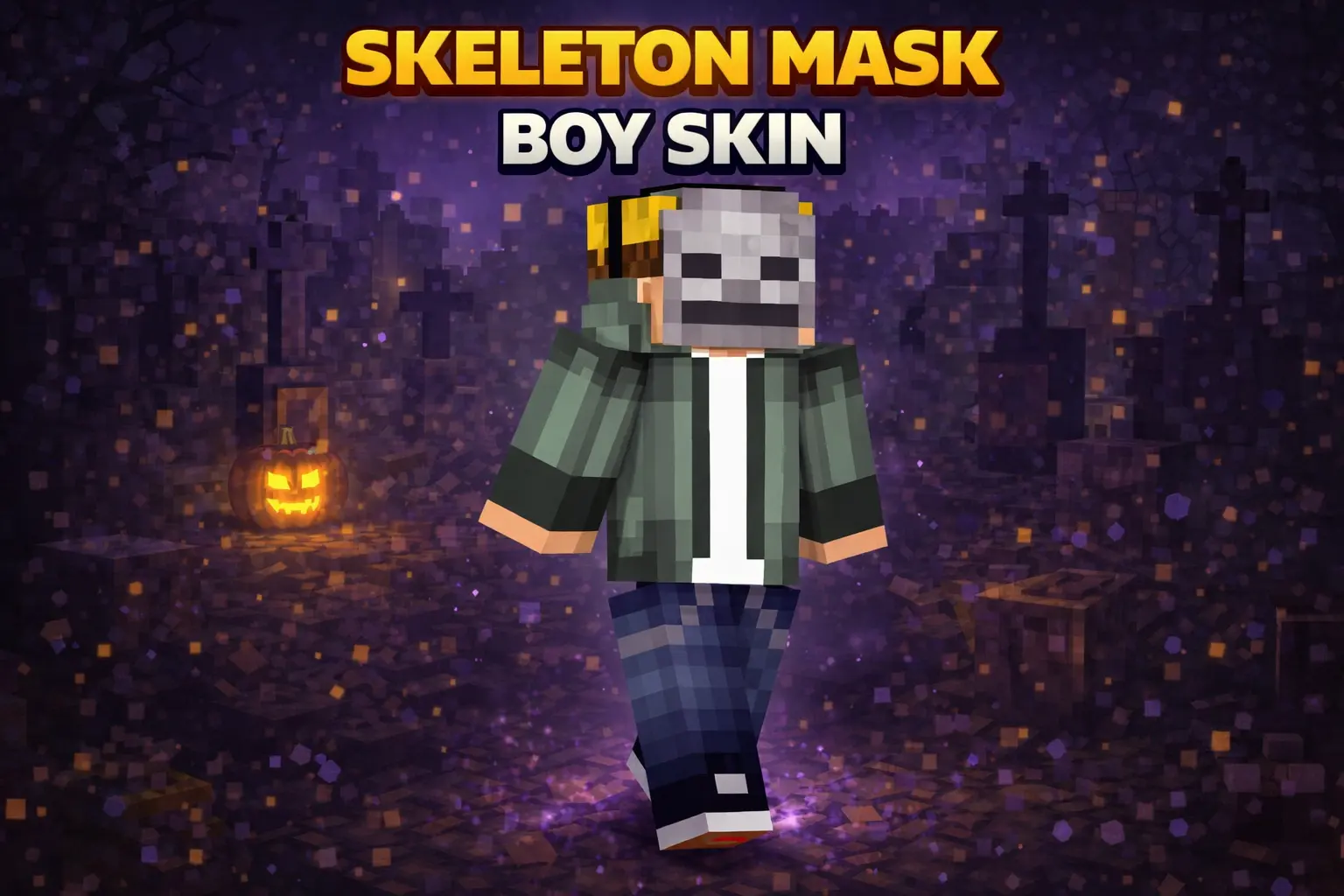
Skeleton Mask Boy Skin nails that chill-but-creepy vibe without going full horror costume. The gray hoodie keeps it grounded and casual, the blonde hair adds contrast so the head doesn’t just blend into dark areas, and the skeleton mask is the detail that makes people do a quick double-take in a lobby.
In survival, this is an easy “main skin� because it fits any biome and any build style. You can be mining, building a base, or running night missions and it still looks natural, like your character is just geared up for trouble. It also pairs really well with darker builds like abandoned towns, underground tunnels, or spooky forests, because the mask matches the mood without needing extra effects.

A gray hoodie says you’re here to hang out; the skeleton mask suggests there might be more to the story. Skeleton Mask Boy brings those two moods together in a Minecraft skin that feels casual enough for everyday survival and mysterious enough for a late-night adventure.
The outfit keeps the idea easy to recognize. Blond hair sits above a skeleton mask, while the gray hoodie gives the character a relaxed look instead of turning the whole design into a monster costume. That contrast is what makes the skin interesting: the mask catches your attention, but the rest still looks like someone you might meet in a server lobby. It works if you want a little spooky character without dressing for a full horror map every time you log in. Wear it for a building session in the afternoon, then head into a dark cave after sunset without feeling like you need to change outfits.
In a survival world, the skin can become a familiar part of your character’s identity. Maybe your masked player lives in a cabin at the edge of a forest, keeps a small workshop beneath a village, or spends most evenings bringing back ore from a mine. None of that requires a special storyline, but the mask leaves room for one if you want it. A gray hoodie also suits the ordinary moments between adventures: sorting chests, working on a farm, or hanging around the base while your friends argue about where the next portal should go. That flexibility makes it an easy skin to keep as your everyday look, even if your plans change halfway through a session.
On multiplayer servers, the look has enough personality to stand out without demanding that everyone play along with a character. It fits a PvP lobby, a relaxed building session, or a role-play world where your masked adventurer has a reason to keep their face hidden. You can make the mask part of the story or leave it as a detail nobody explains. For screenshots, try a woodland path, an underground tunnel, or an abandoned town as a backdrop. Those settings pick up the slightly eerie side of the design while the hoodie keeps the character from looking out of place in a normal Minecraft world. A group picture can work just as well: stand beside friends in their own favorite skins and let the mask make your character recognizable.
Skeleton Mask Boy is a skin, so it changes your appearance rather than giving you skeleton powers or altering how mobs behave. You’ll still need your usual tools and armor when a cave gets dangerous, and a real skeleton can still land an arrow if you aren’t paying attention. What you get is a character design that can follow you from a quiet day at home to a late-night expedition. If you like understated outfits with one memorable detail, the mask and hoodie combination gives you an easy look to keep wearing across different worlds and activities.
On multiplayer servers, Skeleton Mask Boy Skin stands out in a clean way. It’s readable from a distance, looks solid in screenshots, and works great for roleplay or PvP because it gives your character a mystery vibe without being overdesigned. If you want a simple skin with personality, Skeleton Mask Boy Skin is a solid pick.
How to Install Skins in Minecraft Bedrock
- Download a .png skin (64×64 or 128×128).
- Open Minecraft Bedrock.
- Go to Profile (hanger icon) → Edit Character.
- Tap Owned → Import → Choose New Skin.
- Select your .png file.
- Pick a model: Classic (Steve) or Slim (Alex).
- Confirm to equip and play.
Comments (0)