Trendy Fashion Teens Skin Pack
- 23-02-2026, 20:20
- 1 112
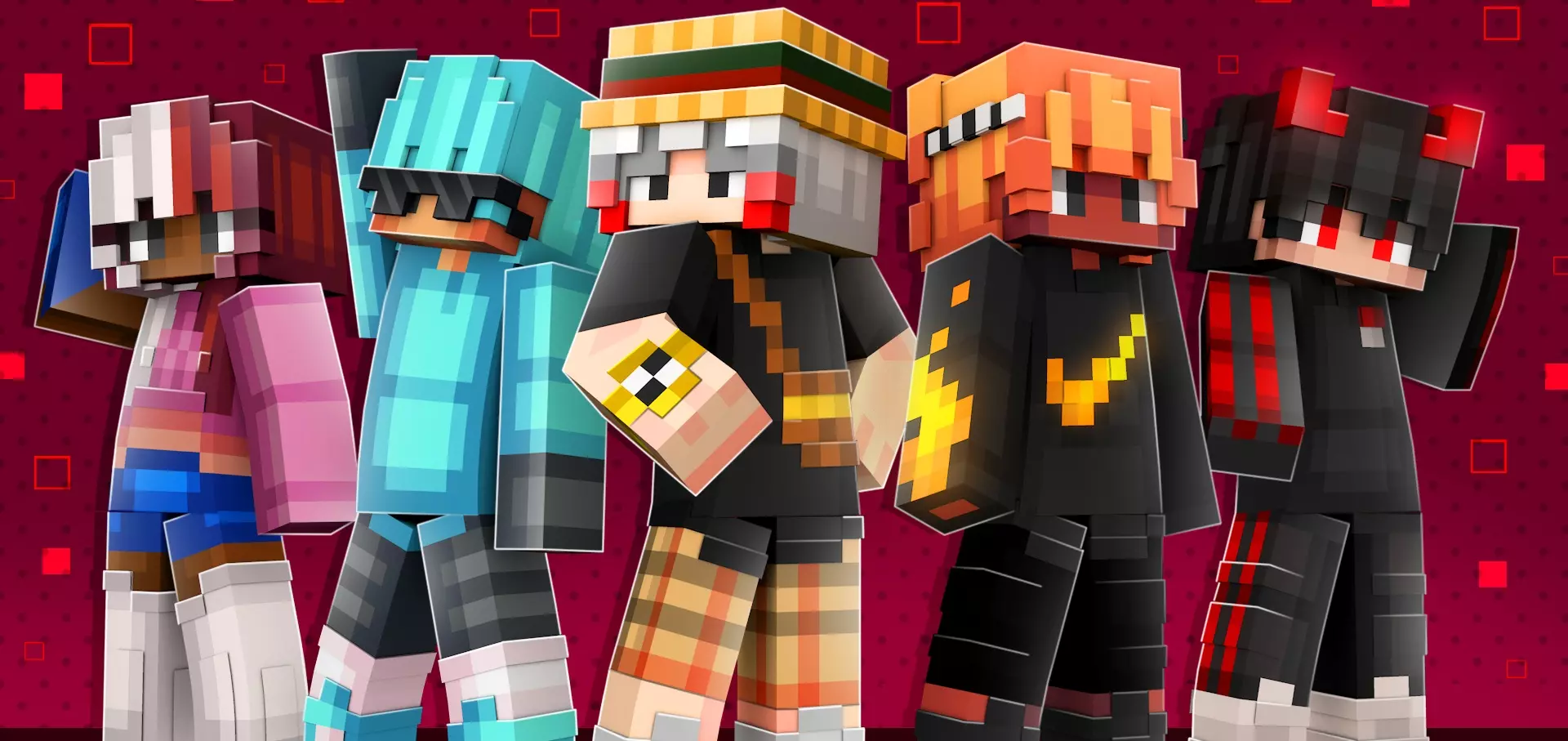
Trendy Fashion Teens Skin Pack is a straightforward cosmetic pack built around modern style. You get 10 trendy skins, each with cool outfits, so it’s less about fantasy armor vibes and more about looking like a character who could actually be hanging out in a city map, a school roleplay world, or a modern survival town build. If you’re tired of every skin being a warrior, a monster, or a meme, this pack is the opposite—clean, current, and casual.
In Minecraft Bedrock, packs like this shine on multiplayer servers because outfits make your character feel like part of the crowd instead of a random default. It’s also perfect for roleplay maps where you want characters that look like students, teens, or everyday people, especially if you’re doing things like high school maps, city life worlds, hangout lobbies, or mini-game hubs. Having 10 skins means you can swap your look depending on your mood, or share the pack vibe with friends so everyone fits the same aesthetic without matching exactly.

The best part of a “fashion” skin pack is how it makes normal gameplay feel more grounded. Running errands in survival—farming, building, exploring nearby areas—hits different when your character looks like they’re dressed for a day out instead of dressed for a boss fight. It’s also great for screenshots and thumbnails because modern outfits tend to read clearly even from far away, especially in well-lit lobbies.
Practical tip: if you’re playing with friends, pick skins that look distinct from each other so you can recognize who’s who in a crowd. And if you’re building a modern world, keep your outfit vibe consistent with the setting—use Trendy Fashion Teens Skin Pack for city builds, school maps, malls, parks, and hangout hubs where the “cool outfit” style actually matches the world.
How to Install Skins in Minecraft Bedrock
- Download a .png skin (64×64 or 128×128).
- Open Minecraft Bedrock.
- Go to Profile (hanger icon) → Edit Character.
- Tap Owned → Import → Choose New Skin.
- Select your .png file.
- Pick a model: Classic (Steve) or Slim (Alex).
- Confirm to equip and play.
Comments (0)