Ender Ivan Skin
- 24-02-2026, 10:13
- 309
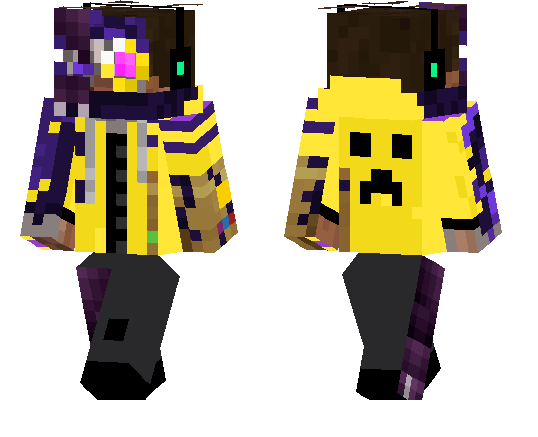
Ender Ivan Skin is the kind of skin that instantly gives your character a little backstory without needing any extra setup. The whole idea is simple but memorable: Ivan has an End-style vibe, loves Golden Carrots, and is friends with Enders. That makes it feel more like a real character skin than just a random texture, which is great if you like skins with personality.
In survival, Ender Ivan Skin fits really well when you’re exploring late-game areas, building dark-purple bases, or doing anything End-themed. It also works in regular worlds because the concept is playful instead of too serious. You can be farming, mining, or trading, and the skin still gives your character that weird “mysterious but chill� energy. If you play with friends, it’s an easy skin to turn into a roleplay idea too, like the guy who always carries food and somehow gets along with mobs nobody trusts.
Ender Ivan Skin is a solid pick if you want something unique, funny, and themed without going overboard. It’s simple, recognizable, and easy to keep in your Minecraft Bedrock skin rotation.
How to Install Skins in Minecraft Bedrock
- Download a .png skin (64×64 or 128×128).
- Open Minecraft Bedrock.
- Go to Profile (hanger icon) → Edit Character.
- Tap Owned → Import → Choose New Skin.
- Select your .png file.
- Pick a model: Classic (Steve) or Slim (Alex).
- Confirm to equip and play.
Comments (0)