Crusaders Pack – Skin Pack
- 1-05-2026, 03:57
- 485
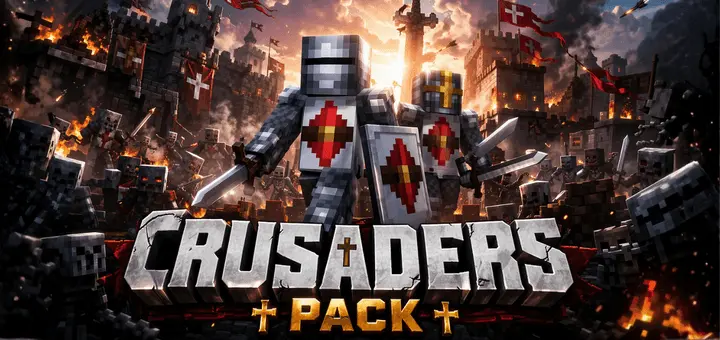
Crusaders Pack – Skin Pack here are collected only the best medieval knight skins in HD quality for Minecraft Bedrock. Crusaders Pack gives your Minecraft character the look of a medieval knight. It includes eight skins inspired by crusaders and other warriors of the period, so you can choose an outfit that feels at home in a castle, a stone village, or a medieval adventure map. If you’ve spent hours building walls, towers, and stables but still run around in the same old skin, this pack is an easy way to make your character fit the setting.
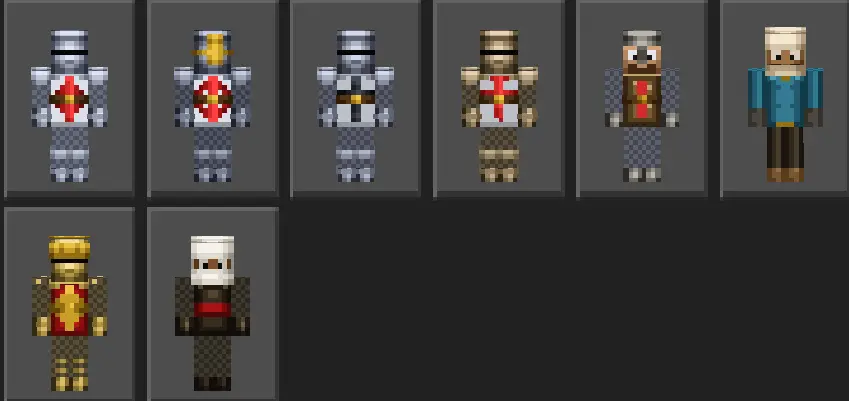
The collection includes several knightly designs, among them a Teutonic knight, a sergeant knight, and a knight inspired by the Order of Santiago. Each offers a different take on the theme, so it’s worth looking through the pack before settling on one. You might find a favorite straight away, or you may want to switch depending on the world you’re playing in. A character guarding a fortress and a traveler setting off across the countryside can both use the medieval style, even if you imagine them having very different stories.
A skin like this works particularly well when you’re building a castle. Picture your character walking through the main gate, past a stable and into a courtyard you’ve just finished. The outfit helps bring the scene together, especially if your friends have chosen knight skins too. You could build a meeting hall for the group, put rooms inside the walls, and leave space outside for a training ground. None of those things come with the pack, of course; they’re ideas for what you can create around the skins. Even a small watchtower on a hill can be a good home for a knight if a full castle feels like too much work.
There’s plenty of room for roleplay with friends. One player could take charge of the castle, another could ride out to explore, and someone else could look after the village nearby. You don’t need a strict set of rules or a long story for it to be fun. Pick your skins, decide on a place to meet, and let the adventure grow from there. A trip to a woodland mansion can become an expedition, while a raid on a village gives everyone a reason to gather their equipment and defend the settlement together. The pack can also be used on your own if you simply prefer a medieval look for everyday survival.
You might want to try the skins on an adventure map or in PvP as well. A knightly outfit is a natural match for a sword-and-shield fight, whether you’re facing mobs or challenging a friend. Remember that the armor shown as part of a skin is only an appearance: it won’t protect you from damage. You’ll still need to craft and equip actual armor before heading into danger. Depending on what you wear over the skin, some of its details may also be covered, so take a moment to see how your chosen outfit looks with your equipment.
Crusaders Pack is a straightforward choice for anyone who enjoys medieval builds and wants a character to match. Its eight designs give you options for a group of knights or a single traveler setting out from home. Choose the one you like, pick up your sword, and give your next Minecraft world a touch of medieval style.
How to Install Skins in Minecraft Bedrock
- Download a .png skin (64×64 or 128×128).
- Open Minecraft Bedrock.
- Go to Profile (hanger icon) → Edit Character.
- Tap Owned → Import → Choose New Skin.
- Select your .png file.
- Pick a model: Classic (Steve) or Slim (Alex).
- Confirm to equip and play.
Comments (0)