Granny Horror – Skin Pack
- 1-06-2026, 01:31
- 364
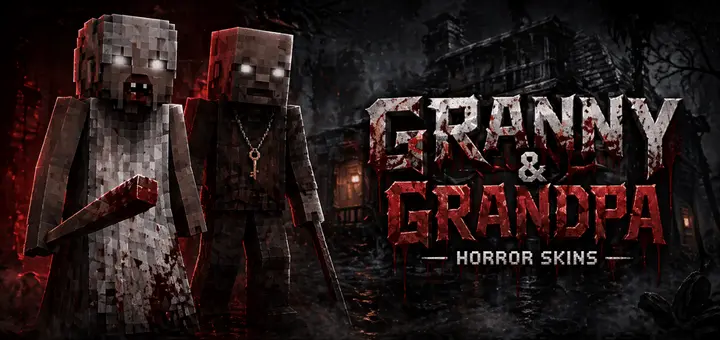
Granny Horror pack - has popular horror skins for role-playing horror Granny games with friends in Minecraft Bedrock.
Creeping down a creaky wooden stairwell only to hear a bloody baseball bat dragging behind you is pure survival horror gold. The Granny Horror Skin Pack injects the viral indie nightmare straight into your Minecraft Bedrock worlds, arming your crew with seven terrifying outfits built for multiplayer hide-and-seek.
Setting up asymmetrical horror games inside custom adventure maps or private realms usually stalls out because standard zombie or Steve skins look ridiculous playing the monster. You spend hours assembling an abandoned mansion out of dark oak planks, hook up tripwires with spooky redstone chimes, and drop players in with zero tools, only for the designated chaser to look like a goofy neon teenager. That completely ruins the suspense before the match even kicks off. Throwing on these warped nightgowns, hollowed-out eyes, and cracked pale faces fixes the mood instantly. When the designated hunter rounds the hallway corner crouch-walking with an iron shovel or a stick, the panic in your voice chat spikes immediately.


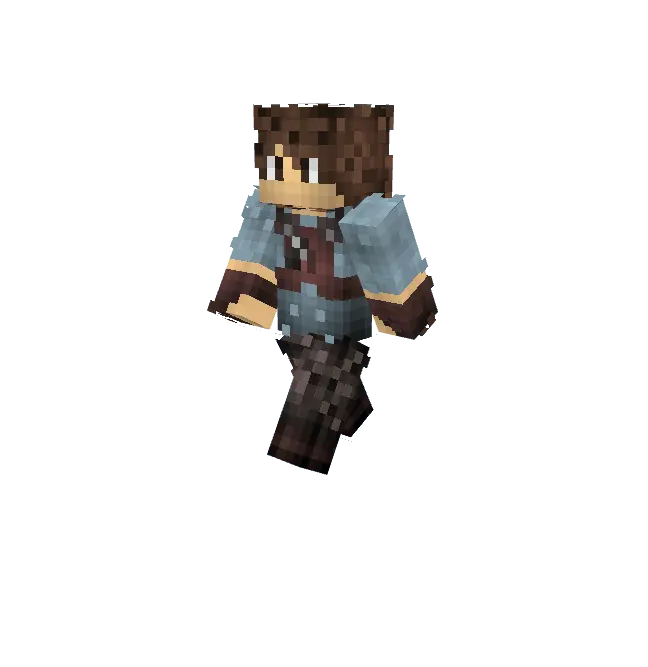
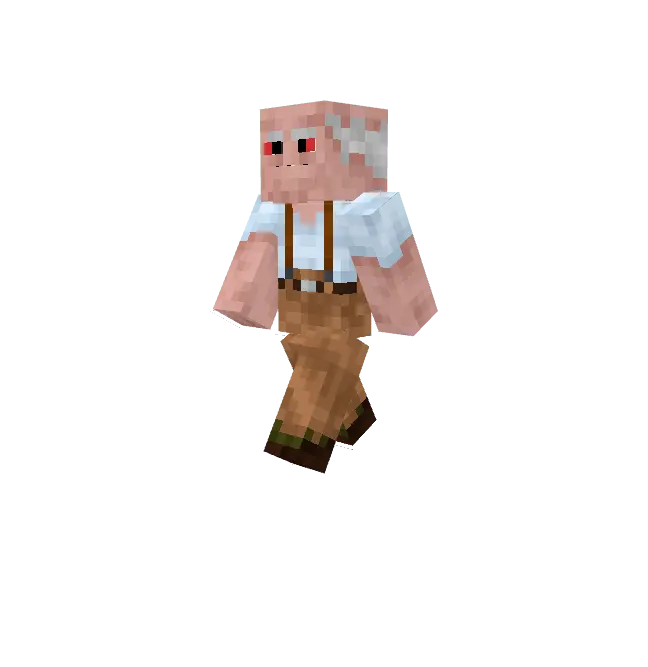
The design work across all seven skins leans hard into pure atmospheric decay rather than relying on noisy red paint splatters. You get distinct variations of the viral haunted matriarch, featuring stained hospital gowns, sunken eye sockets, missing teeth, and grotesque wrapped bandages. The pixel shading avoids blurry compression artifacts, utilizing calculated tonal shifts between sickly pallor and grimy fabric textures that stay readable under dim soul lantern lighting. By taking full advantage of the secondary geometry layer, frayed hemlines, wispy strands of unkempt hair, and crooked facial wraps float off the primary model, producing realistic dimensional depth whenever the hunter leans around a doorway to scout dark rooms.
These outfits really come alive when you organize custom escape scenarios or late-night community challenges with friends. The distinct facial detailing ensures players immediately recognize the threat from across a shadowy hall, prompting frantic sprints toward trapdoors before their stamina gives out. Even in standard survival worlds, popping out from behind spruce trees during a thunderstorm wearing one of these twisted models is an easy way to trigger genuine jumpscares for unsuspecting clan members.
Setup is completely painless since the files import directly into your Bedrock dressing room as a lightweight package across Windows, console, and mobile setups. Every model adheres strictly to standard player hitboxes and classic proportions, preventing annoying collision bugs or server kicks when navigating crowded maps. The arm textures look deliciously creepy in first person too, framing your viewmodel with pale, gnarled knuckles while holding torches or tools. If your crew is tired of predictable survival routines and wants to build genuine, heart-pounding haunted house encounters, this terrifying cosmetic lineup delivers the exact nightmare fuel your lobbies have been missing.
How to Install Skins in Minecraft Bedrock
- Download a .png skin (64×64 or 128×128).
- Open Minecraft Bedrock.
- Go to Profile (hanger icon) → Edit Character.
- Tap Owned → Import → Choose New Skin.
- Select your .png file.
- Pick a model: Classic (Steve) or Slim (Alex).
- Confirm to equip and play.
Comments (0)