Fashion Akatsuki – Skin Pack
- 6-06-2026, 07:24
- 346
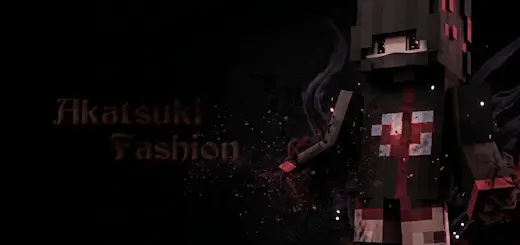
Fashion Akatsuki - download legendary skins of dark hidden ninjas for the game Minecraft. Rolling up to a public lobby rocking standard rogue ninja gear has been played out for years, but the Fashion Akatsuki Skin Pack flips the entire legendary rogue syndicate blueprint into high-end, runway-ready streetwear drip.
Look across almost any Bedrock realm or competitive minigame server, and you are bound to spot someone trying to pull off an edgy shinobi vibe with muddy, low-res black cloaks that blend into a blurry mess the second they enter a shadow. We all love the classic crimson cloud aesthetic, but running the exact same traditional robes over and over gets stale fast. This cosmetics bundle breaks that tired cycle by imagining what happens when you take the most feared mercenary group in anime history and drop them straight into modern urban fashion capitals. It trades heavy ceremonial robes for designer track jackets, distressed denim, layered techwear vests, and sleek sneakers, creating a wardrobe that hits hard without sacrificing the menacing aura of the original faction.
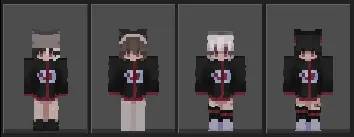
The attention to visual design here is filthy in the best way possible. Instead of just slapping a generic cloud stamp onto a black square, the texturing leans deep into authentic multi-layered pixel shading. You get cropped windbreakers with high collars framing subtle rouge headbands, oversized hoodies with the blood-red cloud motif printed across the back hem, and tactical cargo pants equipped with utility straps and matching high-top kicks. The outer skin layer is utilized to perfection, adding tangible depth to loose drawstrings, zippered hems, and spiked, two-tone hairstyles that sit naturally above piercing, stylized shinobi eyes.
Taking these looks into intense multiplayer modes completely changes how your character feels on screen. Whether you are sweating out Bridge duels, clutching 1v3 bed defenses, or sprint-resetting opponents in the middle of a crowded SkyWars center, the sharp black-and-red contrasts make your movement look incredibly snappy. Your character maintains an agile, modern silhouette that looks menacing during fast-paced strafe duels, standing out sharply against plain stone arena blocks without acting as an obnoxious neon beacon that gives away your flanking routes.
Outside of competitive arenas, the pack breathes fresh life into survival communities and creative city projects. If your squad is building out neon-lit cyberpunk districts, contemporary luxury compounds, or hidden rogue bases tucked away inside sheer mountain ravines, having everyone rock coordinated streetwear variants looks insane in group screenshots. You get enough distinct outfit cuts and hair variants across the roster that your entire crew can rep the same underground syndicate theme without looking like a bunch of copy-pasted clones.
Because this skin pack sticks to native Bedrock player formatting without messy custom meshes, it never causes performance hitches or stuttering chunk loads. Everything renders instantly and runs silky smooth across mobile phones, handheld consoles, and desktop rigs alike, keeping your frame pacing completely locked during chaotic team fights. The colors hold their saturation under direct sunlight, inside gloomy deepslate caverns, or when running custom shaders and night vision packs. If you want to pay homage to one of the most iconic villain crews in gaming culture while keeping your avatar draped in peak modern style, the Fashion Akatsuki Skin Pack is the exact wardrobe refresh you need to own right now.
Quick guide: How to install this Minecraft skinpack
Downloaded the .mcpack file? Here is exactly how to get it into your game depending on what device you are using right now.
- On Windows or Android: Just click or tap the downloaded file twice. Minecraft will open up on its own and load the skins immediately.
- On iPhone or iPad: Save the file, open your Files app, and hold your finger on it. Hit Share, select Minecraft from the list, and the game will handle the rest.
To put the skins on, just open Minecraft, head over to the Dressing Room (Profile), click on Classic Skins on the left, find this pack under Owned, and tap Equip.
Comments (0)