Silicon Citizens Skin Pack
- 17-07-2026, 14:52
- 335
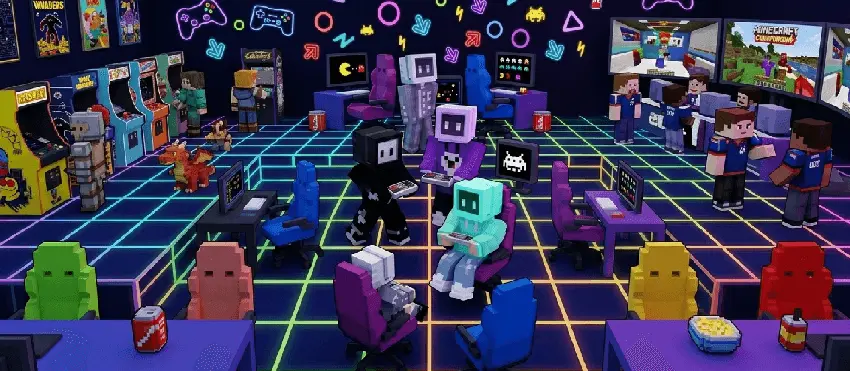
Swap out boring human faces for literal screens with the Silicon Citizens Skin Pack, bringing a fresh lineup of monitor-headed characters wearing trendy modern streetwear to your game. It’s the perfect cosmetic download if you want a bizarre but super clean aesthetic for your next city build.
Let’s be real, regular human skins are kind of played out, and full-blown sci-fi robot suits usually look way too clunky. This pack hits the perfect middle ground. You get these awesome, laid-back monitor-heads dressed just like normal everyday people. Whether you want to rock a cozy pastel hoodie, a sharp monochrome trench coat, or some dark edgy streetwear, there’s a screen-head character that fits your current vibe. It gives off this chill, retro-futuristic energy that looks incredibly clean in-game.


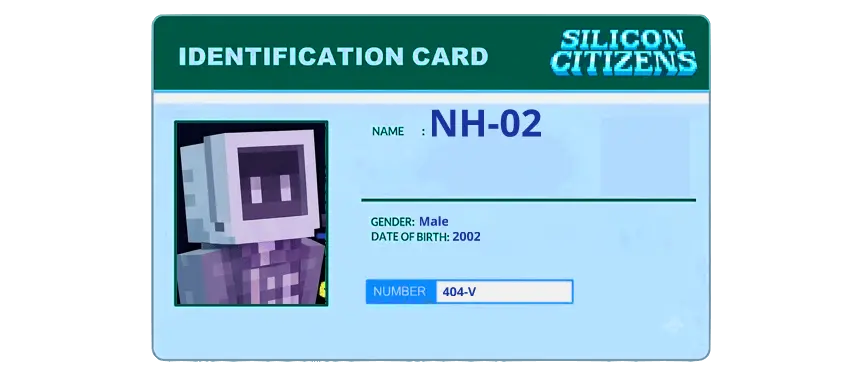
This pack also shifts how you are perceived in a multiplayer environment. Spawning into a chaotic minigame lobby or wandering through a populated SMP wearing a casual android avatar guarantees people will double-take. It is visually distinct without being an obnoxious eyesore that blocks half your screen. A dedicated redstone engineer could easily adopt the model featuring heavy exposed circuitry as their permanent look, while a casual farmer might vibe with the bot wearing a worn-out winter sweater. Because the 16 available slots cover such a wide spectrum of outfits and color palettes, an entire friend group can adopt the pack without anyone overlapping styles.
Tracking down Minecraft Bedrock skin packs that deliver a cohesive sci-fi concept without leaning into aggressive combat tropes is surprisingly difficult. If your vanilla character model is feeling incredibly stale, transitioning into a laid-back synthetic lifeform brings a much-needed aesthetic refresh to your next session.


Trying to find unique aesthetic Minecraft skins that actually grab attention in a crowded lobby is tough since everyone just runs the same generic teen outfits. Dropping into a massive multiplayer SMP or roleplaying in a custom modern city map with a literal TV for a head instantly makes you stand out. The pixel art is perfectly optimized, meaning these MCPE custom skins won't look like a blurry mess when you use zooming mods or apply a realistic shader.
If you're tired of blending in with the default crowd, it’s time to literally upgrade your hardware. Grab this Minecraft Bedrock skin pack, pick your favorite monitor guy, and boot up your next world.
Quick guide: How to install this Minecraft skinpack
Downloaded the .mcpack file? Here is exactly how to get it into your game depending on what device you are using right now.
- On Windows or Android: Just click or tap the downloaded file twice. Minecraft will open up on its own and load the skins immediately.
- On iPhone or iPad: Save the file, open your Files app, and hold your finger on it. Hit Share, select Minecraft from the list, and the game will handle the rest.
To put the skins on, just open Minecraft, head over to the Dressing Room (Profile), click on Classic Skins on the left, find this pack under Owned, and tap Equip.
Comments (0)