Vanilla Mending Texture Pack
- 3-10-2025, 10:22
- 856

Vanilla Mending — a smart Bedrock port that quietly repairs the rough edges vanilla has picked up over the years. The core idea is simple: bring everything in line with the modern default look by updating legacy textures “the Jappa way,” and mend the stray issues you still bump into on Bedrock. Some assets in Bedrock trace back to older Java versions, and a few sounds, models, and fonts show their age or ship with odd glitches. This pack focuses first on textures, then reaches into those other asset lanes to keep the whole presentation consistent.


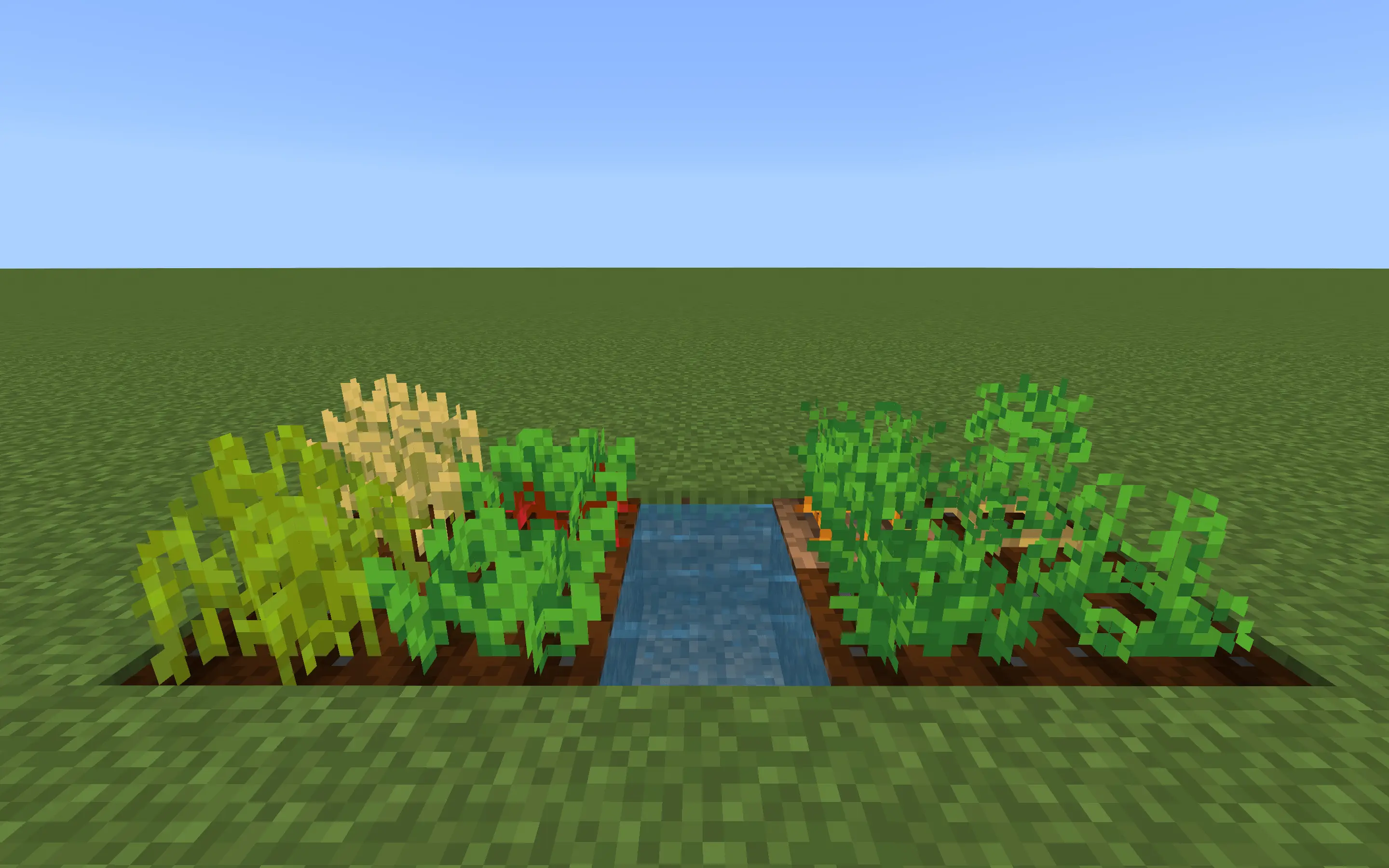

Drop it into a survival world and the difference isn’t flashy; it’s the kind of quality you feel the longer you play. Blocks and items sit in the same palette and shading style, so your storage wall doesn’t look like a mash-up of eras. Little inconsistencies that used to catch your eye just stop pulling you out of the run. I spun it up on a fresh seed, raided a village, pushed a cave route, and everything read like one clean art pass instead of a collage of old and new. It’s still Minecraft Bedrock through and through—no behavior changes, no hitbox weirdness, achievements stay on—just a steadier, more modern vanilla.
Your base is finished, the sun is setting, and the river outside is catching the last bit of light. That’s the kind of moment Revolution Vibrant Visuals is made for.
This Minecraft Bedrock texture pack changes the look of your world through deferred lighting, giving daylight, shadows, and illuminated spaces a different feel. Grass, wood, and stone remain familiar, but the way they sit together in a scene gets a visual lift. If you’ve ever seen a Java shader screenshot and wished your Bedrock world had a similar atmosphere, this pack is worth trying on a world you already know.
Start with a walk through your village in the morning. Look at the houses as the daylight reaches their roofs, then step inside and check how the rooms feel. Wood tones and stone details are easier to appreciate when the lighting gives them some separation. A small starter house can look just as good as a massive castle here, especially if you’ve already spent time adding windows, lanterns, and a nice path to the front door.
Nighttime gives you a different view of the same build. Torches and lanterns bring a warm look to rooms and village streets, while the darker spaces beyond them keep some of that nighttime mood. It’s a good excuse to finish lighting the bridge you keep falling off or add a lantern outside the storage room. You’ll probably still hear a zombie somewhere nearby, but at least the walk home will look good.
Water is another part of the scenery to check out. Take a boat along your usual river, visit a beach, or stand on the dock outside your base and look back toward the shore. The pack’s lighting changes can make familiar coastlines feel fresh, especially around sunrise and sunset. If you like building near water, try placing a few lights along the shore and see how the whole area looks after dark. It’s also a nice setup for screenshots when you finally finish that build you’ve been working on for weeks.
To install the pack, open the downloaded file with Minecraft and activate it in your resource pack settings. Make sure Vibrant Visuals is available and enabled in your video settings; the effects depend on compatible graphics support. Performance and appearance can vary by device, so try a shorter render distance if your game struggles in busy areas. The linked page mentions a Realistic version, while other releases offer different options. Check the file and version you choose, then load your favorite world and see how it looks throughout the day.
Practical setup is easy: put Vanilla Mending at the top of your resource list so its fixes win, reload, and play. As the base game updates, fewer textures will need patching, so this pack may shift its attention to other assets over time; the mission stays the same—mend what’s outdated, keep what’s right, and make vanilla feel unified. If you love the default look but want it tidy, consistent, and up to date, Vanilla Mending is the pack that lets Minecraft Bedrock look the way it’s meant to without changing how you play.
Installation:
- Download Texture;
- Use Minecraft PE
- Open the downloaded .mcpack to install;
- Select texture in settings;
- Done.
Comments (0)