Cyclops Skin
- 23-01-2026, 07:03
- 646
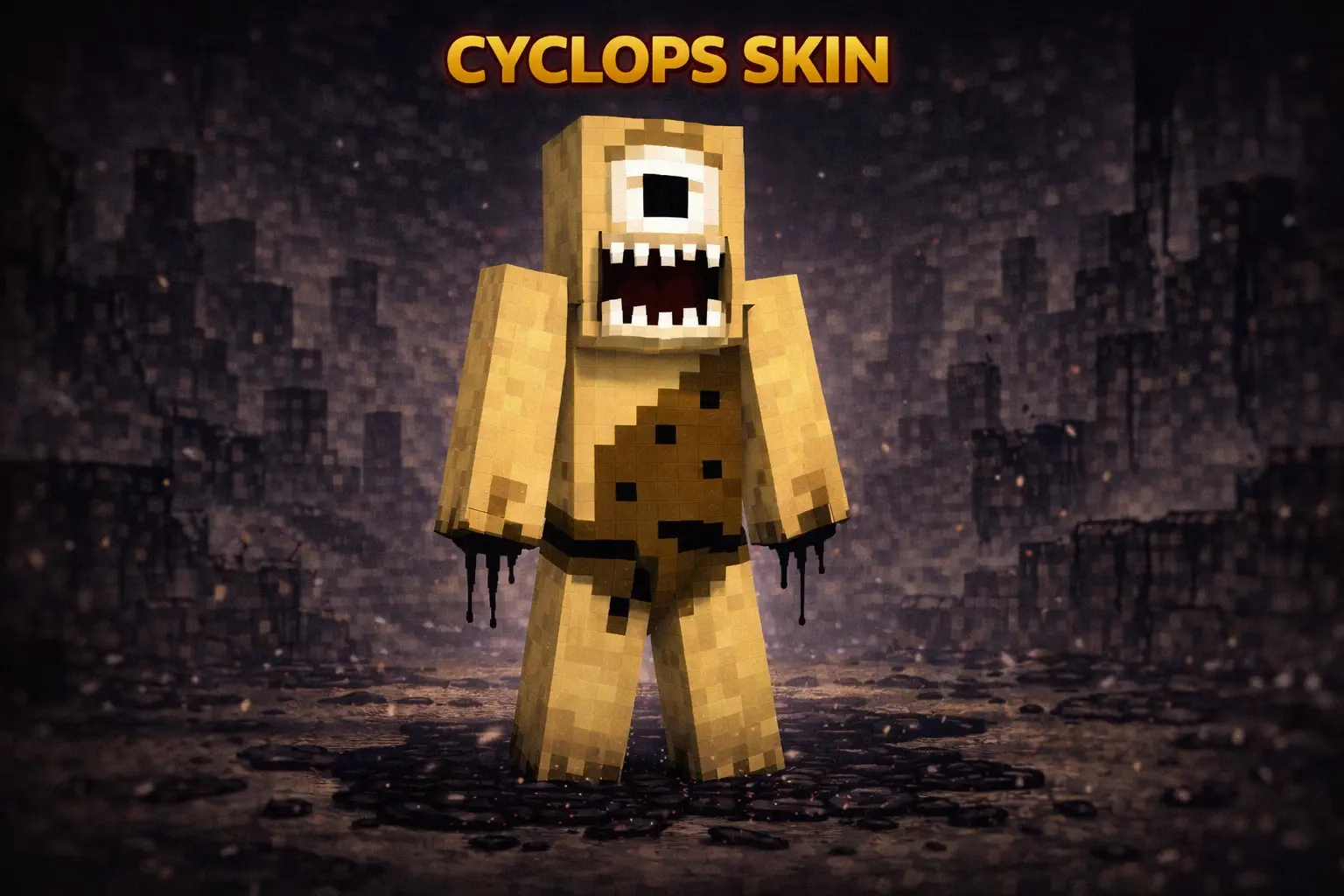
Cyclops Skin is perfect when you want to look like the thing people run from, not the hero holding the sword. The whole scary cyclops idea is simple but it hits hard: one giant eye, monster energy, and that “don’t go into the woods alone” vibe that works in basically any world.

Your friends came prepared to fight the monsters in the cave. They probably didn’t expect one to show up at the entrance and ask whose turn it was to bring torches.
Cyclops Skin gives your character the look of a one-eyed creature, making it a fun choice for Minecraft players who prefer a monster with a little mystery. The single eye is the detail that sells the idea right away. It’s easy to imagine this character guarding a cave, wandering through a forest after dark, or showing up at a village where nobody knows quite what to make of the new arrival. You can take the look in a creepy direction or play it for laughs; either way, there’s plenty of room to make the character your own. That makes the skin useful beyond a single horror night: the same creature can be a frightening opponent in one world and a friendly neighbor in another.
If you like fantasy builds, give the cyclops a place that feels like it belongs to him. A cave in the mountains could become a home, complete with storage tucked into the walls and a rough path leading to the entrance. A ruined fortress works just as well if you want your character to feel like its last guardian. You don’t need a giant project to make the setting convincing: a few details around an ordinary shelter can turn it into a place with a story. Add a lookout above the entrance or a small fire outside, and you’ve got somewhere your friends can spot from across the valley. Then invite them over and let them decide whether they’re visiting a helpful neighbor or disturbing something they should have left alone.
The one-eyed look can also make multiplayer sessions more entertaining. In a role-play world, you could be the creature adventurers have to find, the keeper of a hidden passage, or the unusual member of an otherwise normal survival group. For a minigame, agree on your own rules and let one player wear the cyclops skin while the others try to reach a location or complete a challenge. A simple cave or forest trail can become the setting, with everyone deciding together how much of the game should be spooky and how much should be silly. It works just as well for a quick joke: step out of a tunnel when a friend is coming the other way, then carry on with your mining as if nothing unusual happened.
Cyclops is a character skin, which means the change is visual. It won’t make your player larger, give you monster powers, or alter how Minecraft’s hostile mobs react. You can wear it while building, fighting, or gathering supplies just like any other skin. That makes it easy to keep the creature identity beyond a single event: the cyclops can be the person tending the farm one day and heading into a dungeon the next. If you want a memorable fantasy look with one unmistakable feature, this one-eyed character has plenty of adventures ahead.
On multiplayer servers, this skin is an easy way to stand out without needing a super complicated design. People spot the one-eye look instantly, and it’s great for little jump-scare moments—stepping out of a cave entrance, popping up behind a friend in a dark tunnel, or just walking into spawn like you own the place. It also fits PvP surprisingly well because the monster theme makes you look intimidating even before the fight starts.
In survival, Cyclops Skin feels awesome for dungeon runs and night exploration. If you’re building a fantasy base, a ruined fortress, or anything medieval, the cyclops look matches the vibe perfectly, like you’re the guardian of the area. Cyclops Skin is basically a clean “mini-boss” identity you can wear all the time, whether you’re grinding resources or causing chaos with friends.
How to Install Skins in Minecraft Bedrock
- Download a .png skin (64×64 or 128×128).
- Open Minecraft Bedrock.
- Go to Profile (hanger icon) → Edit Character.
- Tap Owned → Import → Choose New Skin.
- Select your .png file.
- Pick a model: Classic (Steve) or Slim (Alex).
- Confirm to equip and play.
Comments (0)