Purple Nightmare – Skin Pack
- 1-06-2026, 02:19
- 315
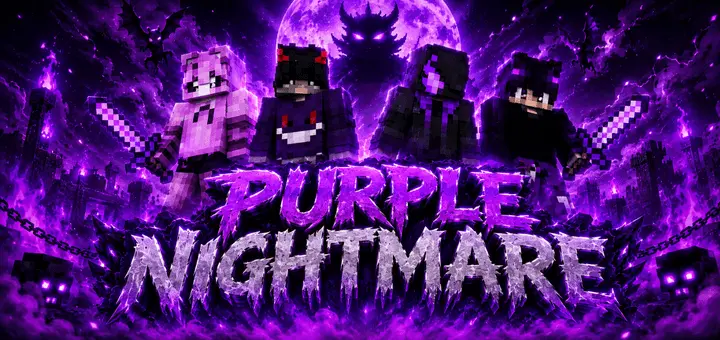
Purple Nightmare - Skinpack with 4 creepy, but very beautiful purple skins for Minecraft Bedrock. Rolling into a competitive Bedrock queue draped in pitch-black shadow and toxic violet energy instantly lets everyone on the lobby bridge know you came to wipe the floor with them. The Purple Nightmare Skin Pack scraps goofy cartoon cliches to give serious grinders a cold, corrupted aesthetic that looks lethal from every possible camera angle.
Most players looking for an edgy wardrobe run into the same annoying issue on Bedrock servers. You pick a dark cosmetic thinking you look menacing, only to load into a dim cave or a night cycle and realize your character model turned into an unreadable dark gray smudge with zero personality. It gets worse during fast-paced PvP matches where muddy textures make it hard to tell what gear you are even swinging. This drop avoids that trap by balancing deep abyss fabrics against sharp, saturated neon purple accents. The glowing runes, electric seams, and piercing void eyes slash straight through low-light backgrounds. Whether you are sprinting across end stone bridges, creeping through an ancient city, or stalking players through a dense spruce forest, you maintain a recognizable silhouette that stands out without turning into an obnoxious walking beacon.
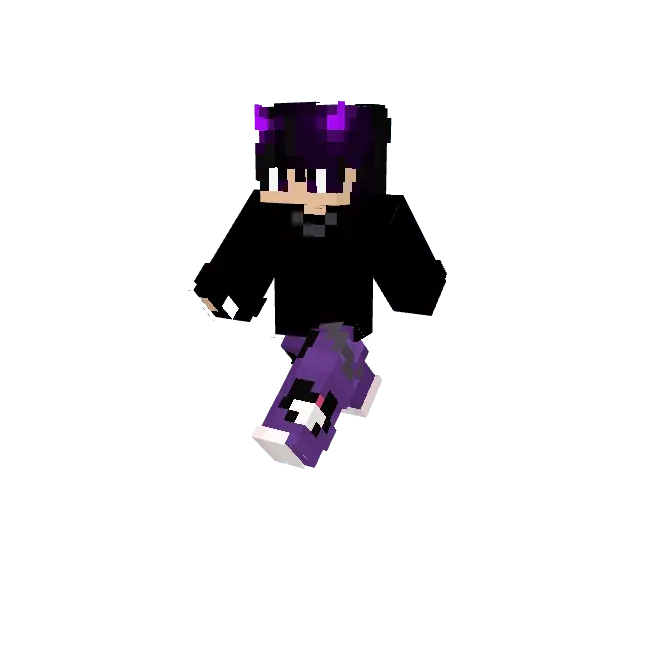
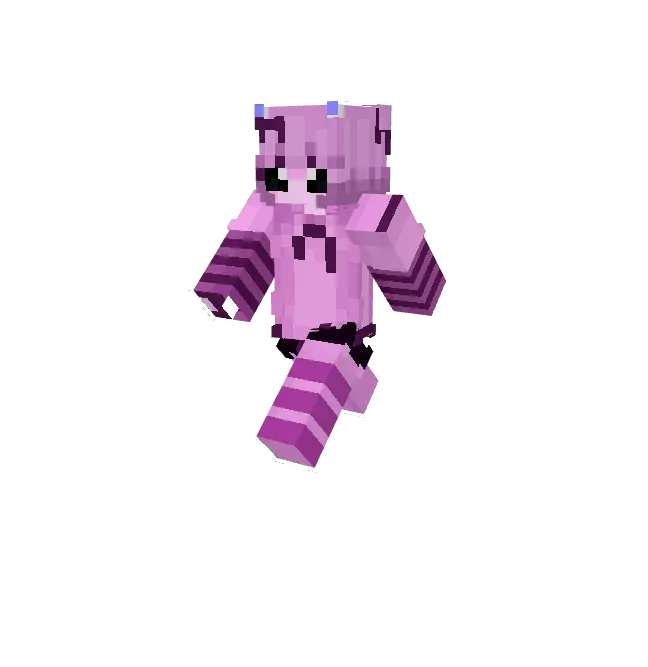


What really sells these fits is the way the artist leveraged the secondary skin layer on Bedrock models. A lot of creators get lazy, painting flat details right onto the base skeleton so your avatar looks like a stamped cardboard cutout when viewed from the side. Here, the fractured faceplates, jagged demonic horns, tattered combat cloaks, and utility straps actually float on the outer voxel layer. That extra geometric dimension creates legitimate depth whenever your character shifts weight, jumps, or circles an opponent. You get that authentic dark-fantasy boss presence, spanning corrupted reapers, void-touched ronin, and cursed wanderers that feel like actual raid encounters instead of cheap cosmetic knockoffs.
Competitive duelists know visual clutter on your own display can make or break a match, which is where this pack earns major points for first-person gameplay. Bulky armor plates or over-textured gloves often eat up your peripheral vision, blocking crucial sightlines when you are tracking an enemy strafing around your crosshair or lining up a clutch bow shot. The sleeve and wrist texturing here stays lean, tight, and purpose-built for action. When you grip an enchanted sword or raise a shield, your viewmodel shows clean runic gauntlets and subtle violet wraps that add serious style without crowding your screen. It keeps your field of view completely open for quick w-taps, sprint resets, and rapid block placement during sweaty clutch scenarios.
Dropping these skins into your game takes two seconds through the standard Bedrock dressing room menu, completely free of messy file gymnastics. Because the roster sticks strictly to standard player proportions, every outfit is fully legal across official servers like Hive and CubeCraft, guaranteeing zero kick warnings or broken hitboxes during ranked runs. If your current locker feels stale and you want a gritty, void-fueled identity for your next multiplayer session, rocking these corrupted purple threads is an absolute power move.
How to Install Skins in Minecraft Bedrock
- Download a .png skin (64×64 or 128×128).
- Open Minecraft Bedrock.
- Go to Profile (hanger icon) → Edit Character.
- Tap Owned → Import → Choose New Skin.
- Select your .png file.
- Pick a model: Classic (Steve) or Slim (Alex).
- Confirm to equip and play.
Comments (0)