SQUID GAME SKIN
- 19-08-2026, 11:18
- 324

Jump into your next high-stakes server event looking absolutely ruthless with this custom Squid Game guard outfit. It brings that intense, futuristic survival vibe straight into your daily Bedrock sessions.
If your crew loves running custom deathrun maps or sweaty minigames, you need a cosmetic that actually matches the energy of the lobby. This design nails the iconic red hooded jumpsuit, making you look like an absolute menace while patrolling your base or hunting down opposing players. The absolute best part of this model is the glowing cyan visor. It creates this crazy contrast against the bright crimson uniform, giving you an intimidating, robotic aesthetic that looks wild when you're sprinting through dark corridors or rainy biomes.
Beyond the pure aesthetics, a solid outfit has to actually perform well in-game. A ton of TV show crossover files get ruined by over-textured shading that just looks terrible in motion. The pixel artists here kept things super crisp, giving you a streamlined character model that won't block your field of view during intense combat. You get all the style of a premium cosmetic without any of the bulky, annoying geometry that messes up your aim.
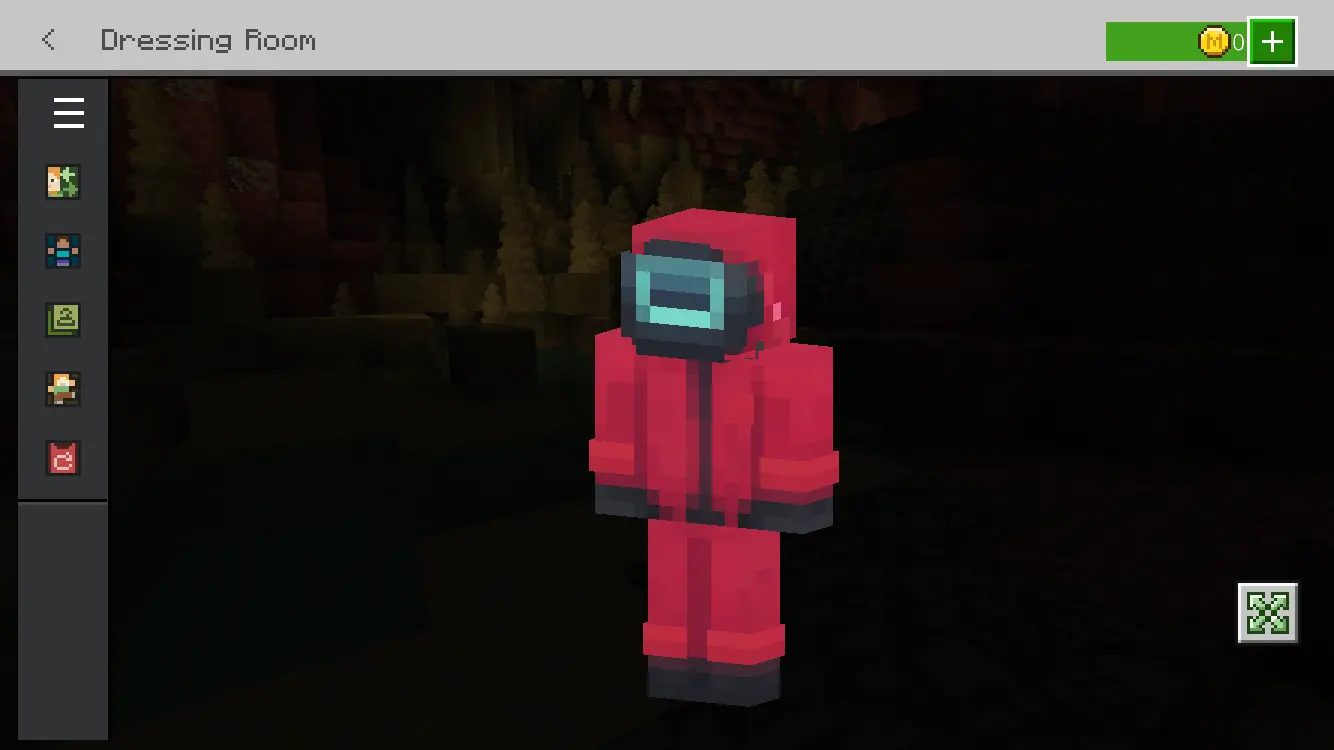
Finding a legit Squid Game Minecraft skin that doesn't look like a cheap knockoff is surprisingly rare these days. Add this high-tier MCPE custom skin to your rotation and instantly upgrade your locker. Grab this Minecraft Bedrock skin right now, load up your favorite realm, and let the games officially begin.
Quick guide: How to install this Minecraft skinpack
Downloaded the .mcpack file? Here is exactly how to get it into your game depending on what device you are using right now.
- On Windows or Android: Just click or tap the downloaded file twice. Minecraft will open up on its own and load the skins immediately.
- On iPhone or iPad: Save the file, open your Files app, and hold your finger on it. Hit Share, select Minecraft from the list, and the game will handle the rest.
To put the skins on, just open Minecraft, head over to the Dressing Room (Profile), click on Classic Skins on the left, find this pack under Owned, and tap Equip.
Comments (0)